How to Send an EDIFACT DESADV to an Automotive OEM
Step-by-step guide to building and sending an EDIFACT DESADV D96A message to an automotive OEM, with segment examples and a common failure fix.

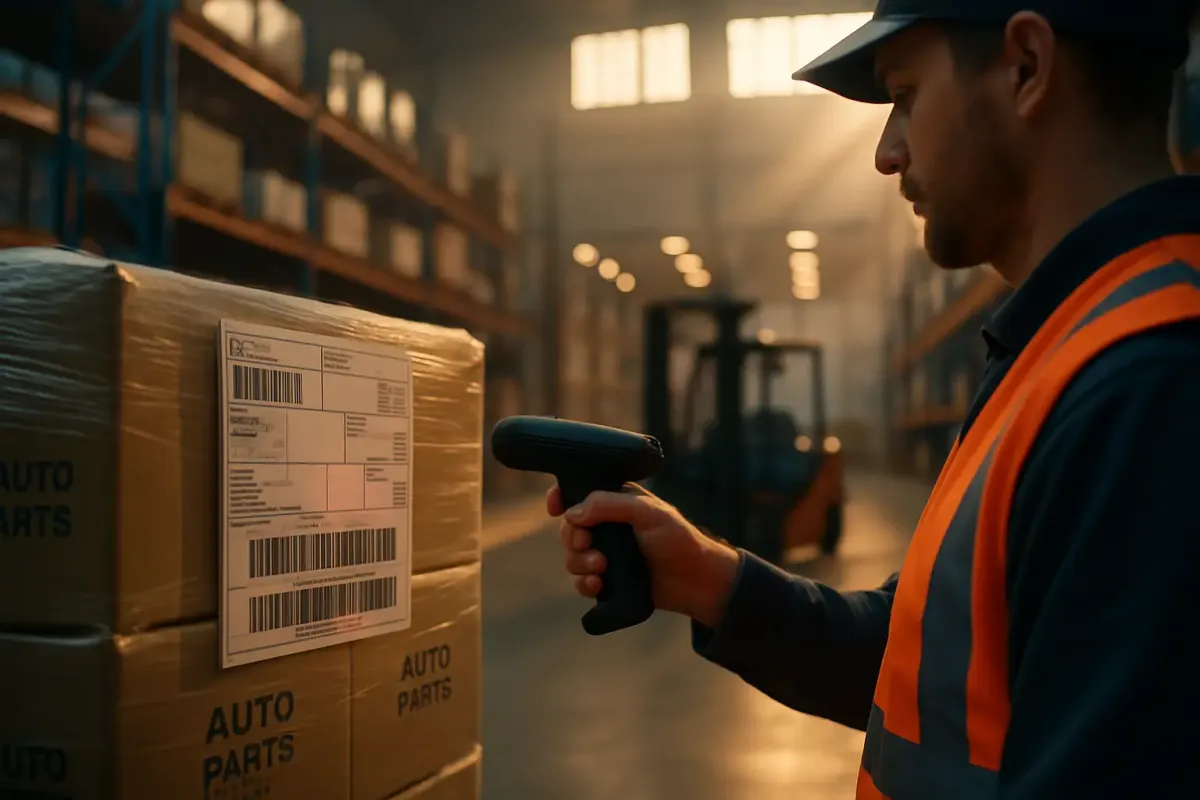
If you ship parts to a European automotive OEM, sending an EDIFACT DESADV isn't optional. It's the gate your goods receipt process runs through. Get the segments wrong, or mismatch a label number, and your truck gets unloaded onto a manual receiving queue while your logistics coordinator gets a phone call nobody wants. This walkthrough builds a DESADV D96A message end to end, using the structure OEMs like Faurecia, Adient, and KION publish in their own implementation guides, and covers the CONTRL acknowledgment check plus the failure mode that trips up more suppliers than any other.
What a DESADV Actually Does
DESADV is the EDIFACT despatch advice, the message a supplier sends to an OEM or customer before or at the moment of shipment. In North America the equivalent document is the ASN, and a DESADV is the direct equivalent of an ASN (Advanced Shipping Notice) message, which is popular within the automotive industry. In practice, automotive people use the terms interchangeably even when the underlying standard is EDIFACT rather than X12.
A DESADV can include order references, shipment details, delivery dates, item data, product codes, pallet and package numbers, weights, dimensions, expiration dates, and dock locations. In automotive workflows specifically, DESADV is often referred to as an ASN and helps support Just-in-Time planning by providing delivery information before goods physically arrive. That's the whole point: the OEM's receiving dock and MRP system need to know what's coming before the truck backs up to the bay.
Before You Start: What You Need
Don't attempt a first transmission without these in place. Each one has caused a failed go-live when skipped.
- The OEM's own DESADV implementation guide. Every OEM publishes a subset of the base standard, whether D96A, D97A, or D01B, and the mandatory segments differ. A Faurecia guide and an Adient guide covering the same base message will still disagree on which qualifiers are mandatory.
- A tested transmission channel. Most European automotive OEMs still run OFTP2, though AS2 is increasingly accepted. OFTP2 connections use TLS/SSL for the transport layer plus three protection levels: TLS/SSL protects the connection, asymmetrical cryptography (public/private key) encrypts the files and digital signatures authenticate sender and receiver.
- GS1-128 or VDA-compliant label printing already running at the warehouse, since the SSCC or master label numbers referenced in the message have to match what gets physically stuck on the pallet.
- A live purchase order or scheduling agreement number to reference in the message. Without it, the OEM's system has nothing to match the shipment against.
- Access to the OEM's EDI test environment and a test partner ID, so the first message you send isn't the first message you've ever built.
Building the DESADV Message, Segment by Segment
The structure below follows the shape used across most European automotive D96A/D97A guides, including the one published by Fuba Automotive, whose guide states it provides the definition of an Advanced Shipping Notification (ASN) or Despatch Advice Message, based on the EDIFACT DESADV D97.A. Your OEM's guide will vary in the details, but the skeleton holds.
- UNB/UNH headers. Open the interchange and reference the message type and version explicitly, for example
UNH+1253512+DESADV:D:96A:UN. Get the version wrong here and the receiver's parser rejects the whole interchange before it reads a single business segment. - BGM segment. Declare document type 351 (dispatch advice) and assign a unique shipment or document number. This number is what ties the DESADV to everything downstream, including the receipt confirmation.
- DTM segments. Add document date/time, dispatch date/time, and expected delivery date/time. Automotive OEMs use these dates for dock scheduling, so get the qualifiers right, not just the date format.
- NAD segments. Identify the supplier and ship-to party. Supplier identification is treated as mandatory across essentially every OEM guide, since the OEM's system needs to know unambiguously who shipped what.
- RFF segment. Reference the underlying order, purchase order number, or scheduling agreement line, so the OEM's planning system can match the DESADV to an open call-off rather than leaving it orphaned in the system.
- MEA segments. Carry gross and net weight and total shipped quantity. Some OEM guides make this conditional depending on packaging type; check the guide rather than assuming it's optional.
- CPS/PAC/PCI/GIN segments. Build the packaging hierarchy: pallet, then carton, then the SSCC or master label number for each. This is the exact data the receiving dock scans against when the truck arrives, and it's where almost every real-world DESADV failure originates.
- UNT/UNZ trailers. Close the message and transmit over the agreed protocol.
A stripped-down example, adapted from the structure OEM guides typically follow, looks like this:
BGM+351+SHIP0004821+9'
DTM+137:202608141030:203'
DTM+11:202608141200:203'
NAD+SU+SUPPLIERGLN::9'
NAD+ST+PLANTGLN::9'
RFF+ON:4500123456'
CPS+1'
PAC+1++VN'
PCI+33E+00340123450000012348'
UNT+18+SHIP0004821'
Notice the PCI segment carrying the SSCC. That single value is doing more work than anything else in the message.
Confirming It Worked: The CONTRL/997 Step
Once you transmit, don't assume silence means success. After transmission, the receiving OEM's system returns a functional acknowledgment, CONTRL in EDIFACT or 997 in X12 environments where the same partner also runs ANSI messages. This acknowledgment operates purely at the syntax level. As one EDI reference puts it, an EDI 997 Functional Acknowledgement document is an electronic ANSI X12 sent as a response to an EDI 850 Purchase Order, EDI 810 Invoice, or any other transaction set received and processed by the recipient, and it does not indicate whether the trading partner accepted the contents of the transaction.
The same logic applies to CONTRL on the EDIFACT side. A positive CONTRL tells you the interchange was structurally valid and received. It does not tell you the OEM's ERP matched it to an open order, or that the SSCC numbers inside it agree with what's on the physical pallets. That confirmation only comes from goods receipt at the dock. If you're only monitoring for a positive CONTRL and calling the shipment done, you're missing the step that actually matters to your OEM scorecard.
The Most Common Failure: SSCC/Label Mismatch at Goods Receipt
This is the failure that generates more emergency calls than any protocol error. The SSCC or master label barcode scanned on the physical pallet doesn't match the number carried in the DESADV's PCI/GIN segment. The OEM's receiving system can't auto-match the delivery, the automated goods receipt process stops, and someone on the dock has to manually key the shipment in, usually while a truck driver waits.
The root cause is almost always the same: the DESADV was built by hand, separately from the label print run, instead of being generated at the moment the labels themselves were printed. As one breakdown of common EDI errors notes about upstream sequencing problems, resolving these issues generally requires the previous message in the workflow to be sent successfully, and the same discipline applies here in reverse: the DESADV has to be generated from the same system of record that produced the label, not reconstructed afterward.
The fix is structural, not a patch. Generate the DESADV directly out of your WMS or shipping system at the point the SSCC label prints, rather than rebuilding the message manually in a separate EDI tool. When the label and the message come from the same transaction, the numbers can't drift apart. This is exactly the kind of automation vendors like AIM Computer Solutions build into automotive EDI platforms, where suppliers are expected to utilize this information on container and pallet bar code labels, as well as include this information on shipping paperwork and return it on the ASN, with AIM Order Management storing this special reference information for use in the Shipping and Bar Code applications.
A second, related failure mode: sending the DESADV before the shipment is physically finalized. Because this EDI message needs to be sent before the goods physically arrive at the warehouse, as it describes the exact structure and content of the delivery, sending too early and then changing the load creates the same downstream mismatch as a bad label scan. Treat the DESADV as a commitment, not a draft.
DESADV vs. Its Regional and Legacy Cousins
Automotive suppliers running mixed OEM portfolios often deal with more than one standard for the same functional message. Here's how the main variants compare.
| Standard | Region/Industry | Base format | Typical user |
|---|---|---|---|
| EDIFACT DESADV D96A/D01B | Europe, retail-driven EANCOM subset | The EDIFACT EANCOM format is primarily used in the retail industry in Europe, with the two most widely used document types being EDIFACT DESADV D96A and EDIFACT DESADV D01B | Retailers, some Tier 1 suppliers |
| VDA 4913 / 4987 | Automotive, Germany-centric | VDA 4913 (the older, flat text-based standard) and VDA 4987 (the newer, EDIFACT-based standard) | German OEMs and Tier 1s |
| ANSI X12 856 | North America | ANSI ASC X12 standards are commonly used in North America, with the despatch advice standard being 856 Ship Notice/Manifest | US/Canada automotive and retail |
Where DESADV Fits in the Bigger Flow
DESADV doesn't operate alone. It sits alongside ORDERS, ORDRSP, and INVOIC in the order-to-cash cycle, and alongside DELFOR and DELJIT forecasts upstream. Suppliers juggling several OEM mappings usually don't hand-build every variant themselves; they lean on B2B platforms like SEEBURGER, EDICOM, TrueCommerce, Cleo, or IBM Sterling to manage the per-partner subset differences without rebuilding logic for every new customer. Once the DESADV is confirmed and the shipment is physically moving, transport visibility and carrier execution typically shift to a TMS or multi-carrier platform. Vendors from MercuryGate and Descartes to Transporeon, Alpega, Uber Freight, and shipper-focused tools such as Cargoson increasingly consume that same shipment data to trigger carrier booking and tracking without a second manual entry.
Next step: pull your OEM's actual implementation guide, diff it segment by segment against the skeleton above, and run one shipment through the test environment before you touch production. Check the CONTRL response first, then walk the pallet to the dock and confirm the SSCC scan matches. That second check is the one that actually proves the message worked.