Setting Up EDI for Lowe's, Step by Step
How to set up EDI for Lowe's: LowesLink registration, AS2 or VAN connection, 850/856/810 testing, SSCC labeling, and fixing a failed ASN.

Getting a new supplier trading live with Lowe's usually takes longer than anyone budgets for, mostly because the EDI testing cycle has more moving parts than a first-timer expects. This walkthrough covers the actual sequence for EDI for Lowe's: LowesLink registration, picking a connection protocol, running the 850/855/856/810/997 test cycle with Lowe's EDI-Implementation team, nailing SSCC-18 labeling, and what to do when a late ASN turns into a chargeback dispute. If you've done this with Walmart or Home Depot before, some of it will feel familiar. Lowe's has its own quirks, and they'll cost you money if you miss them.
What you need before you start
You need three things in hand before you open a single mapping ticket: your Lowe's vendor number, LowesLink portal access, and confirmation of your order volume. Suppliers processing more than ~100 orders/year must complete EDI integration before receiving POs. Below that threshold you may be able to stay on LowesLink WebForms longer, but don't treat that as a loophole — the data and timing rules don't relax just because you're typing into a browser instead of pushing a mapped file.
Lowe's supports three connectivity paths and you'll need to pick one: ANSI X12 (4010/4030), accepting VAN (preferred), AS2, FTP, and HTTPS. There's no single rulebook to download here either. Instead, you download a separate implementation guide for each transaction type, organized by functional group, which means your 850 PO guide, your 856 ASN labeling guide, and your 810 invoice requirements doc all live as separate PDFs on LowesLink. If you don't have in-house EDI staff, this is the point where most vendors bring in a VAN or managed EDI provider like SPS Commerce, TrueCommerce, Cleo, or IBM Sterling to assemble those guides into working maps instead of doing it line by line yourself.
Step 1 — Register on LowesLink and request EDI test credentials
Once your vendor number is active, the fastest way to kick off testing is a direct email. Testing of the 850/855/856/810/997 is coordinated through [email protected], including a connectivity test and analyst-led test cycles.
- Email [email protected] with your vendor number and intended connection method (VAN, AS2, or FTP/HTTPS).
- An assigned EDI analyst responds with your test ISA/GS qualifiers and a testing timeline.
- Download the per-transaction implementation guides from the EDI tab on LowesLink for each document you'll be sending or receiving.
- If you also trade with Lowe's Canada, confirm separately whether that relationship uses distinct ISA/GS qualifiers — don't assume your U.S. setup carries over automatically.
You'll know this step worked when you have a written test schedule from the analyst and a set of qualifiers that match what shows up in your translator's partner profile. If the analyst goes quiet for more than a few business days, follow up by phone rather than waiting — test slots get backed up.
Step 2 — Choose and configure your connection protocol
Your protocol choice determines how much infrastructure you maintain versus how much you hand off. If you go with AS2, you're setting up certificate-based point-to-point messaging: AS2 is an application-layer protocol that requires a direct, secure endpoint configuration using HTTP/HTTPS, SHA-256 signed digital certificates, and a real-time acknowledgment loop called a Message Disposition Notification (MDN). That MDN loop is non-negotiable — if your AS2 server isn't returning a signed MDN for every inbound message, Lowe's system logs it as an unconfirmed delivery even if your translator processed the file fine.
If you'd rather not run that infrastructure yourself, a VAN still works, but you'll want to double check that your mapping is pointed at Lowe's actual ISA/GS IDs rather than a default partner profile — a surprising number of go-live delays trace back to a VAN routing table that was never updated past the test environment.
| Connection method | Who maintains it | Best fit |
|---|---|---|
| AS2 | You (certs, MDN loop, uptime) | Higher volume vendors with EDI staff |
| VAN | Your VAN provider | Vendors who want someone else owning connectivity |
| FTP/HTTPS | Shared between you and Lowe's | Simpler setups, fewer trading partners overall |
On the provider side, Orderful maintains the EDI requirements for thousands of trading partners including Walmart, Target, Costco, Home Depot, and Amazon, which cuts down custom mapping work. Cleo is more platform than many retail suppliers need if the requirement is simply trading compliantly with a handful of retailers, but earns its place for supply-chain-intensive operations where EDI is one flow among many. And if you'd rather hand the whole layer off, a fully managed provider such as SPS Commerce or TrueCommerce fits, with the trade-off that changes and fixes run on the vendor's timeline. On the transport-execution side, whatever TMS feeds your shipment data into the 856 — MercuryGate, Descartes, Oracle TM, SAP TM, or Cargoson — needs to be able to pass carrier and pickup timestamp data cleanly into your EDI translator, since that's exactly where Step 3 starts breaking down if it's missing.
Step 3 — Test the core transaction cycle: 850 → 997 → 855 → 856 → 810
This is the cycle Lowe's actually tests you on, and each document has its own timing rule attached. Here's the minimum set and what Lowe's expects from each: EDI 850 Purchase Order, EDI 856 Advance Ship Notice with carton-level detail, EDI 810 Invoice, and EDI 997 Functional Acknowledgment, plus 855 PO Acknowledgment, 824 Application Advice, and 860 PO Change depending on your product category.
- 850 received → validate PO number, ship-to DC, and vendor part number cross-reference immediately.
- 997 returned → this needs to go back promptly on receipt of each 850; delays signal EDI issues that can trigger follow-up from the Lowe's compliance team.
- 855 sent → acknowledge within 24 hours of PO issuance — late acknowledgments are recorded as compliance violations and impact your scorecard.
- 856 sent → the ASN must be transmitted and received by Lowe's before physical goods arrive at the DC — late or missing ASNs trigger chargebacks.
- 810 sent → one invoice per PO, submitted within Lowe's invoice window to avoid payment delays or deductions.
One gotcha that trips up vendors shipping wood or treated products: incorrect PID segments, especially for wood products requiring TSCA Title VI compliance data, will get your 810 rejected if your system doesn't inject it. You won't catch that in a generic test cycle unless your product category actually requires it, so confirm with your analyst whether it applies to you before you assume you're clear.
Step 4 — Set up GS1-128/SSCC labeling and verify against physical cartons
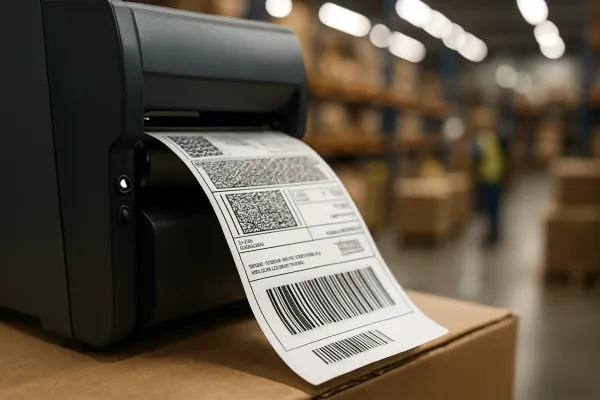
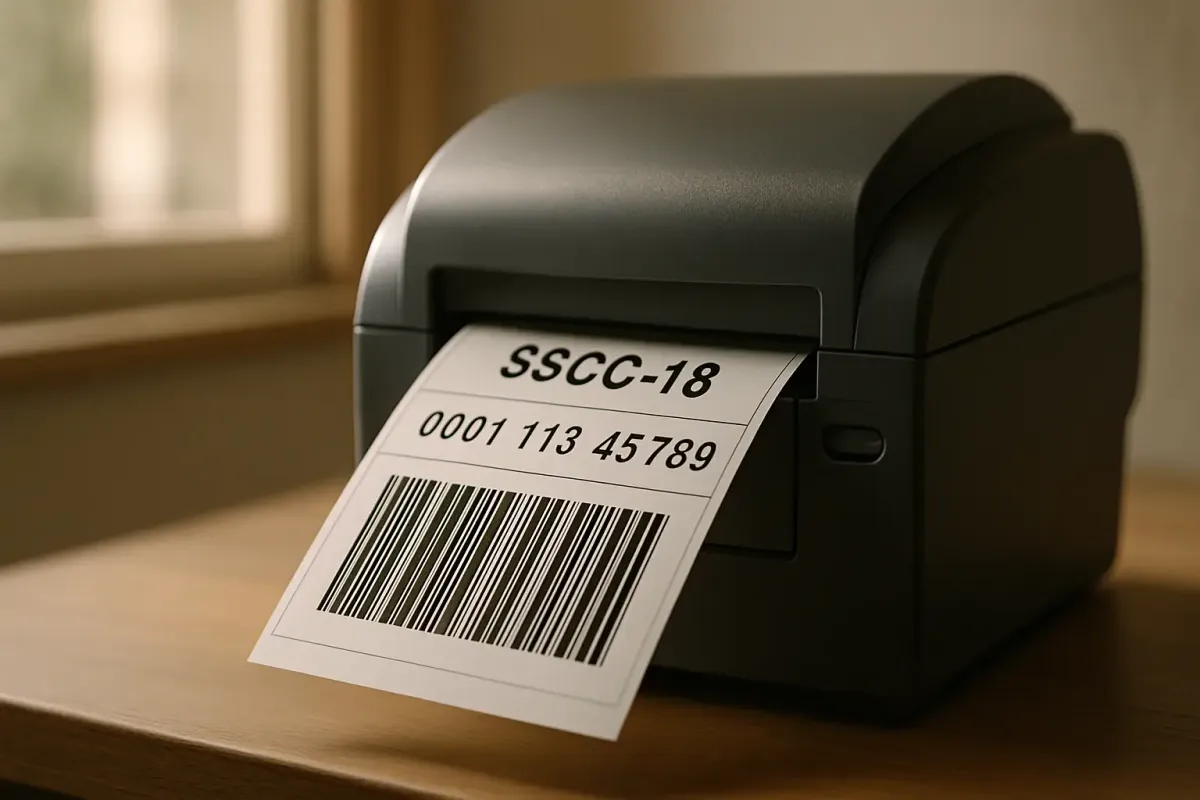
Your carton labels need to match your 856 data exactly, down to the digit. The physical spec is specific: GS1-128, 4×6", thermal transfer, ANSI Grade C+, placed on the carton per Lowe's bar code guidelines. The SSCC-18 itself follows a fixed structure: an Extension Digit (1 digit), GS1 Company Prefix (6–10 digits), Serial Reference (variable), and a Check Digit (1 digit), and your WMS or labeling system needs to generate these sequentially and never reuse one.
Here's the part that catches new vendors off guard every single time: the SSCC printed on the physical label and the SSCC transmitted inside the 856 have to be identical strings. Not close. Identical. If a scanner at the DC reads a code that doesn't exist in the ASN Lowe's already received, that carton gets flagged for manual receiving, and manual receiving is where chargebacks come from.
You'll know this step worked one of two ways: an explicit sign-off email from your Lowe's EDI analyst after the test cycle closes, or — once you're live — a clean receipt with no DC exception flags on your first few real shipments. Either one is your green light.
Step 5 — Go live and monitor your first live POs closely
Lowe's doesn't flip a switch and walk away. There's a parallel run period where EDI and your previous process (often WebForms or manual entry) coexist before EDI becomes the exclusive channel. During this window, watch two things obsessively: your 997 turnaround time, and whether your 856 is actually landing before the carrier picks up — not after.
This is where a shipment visibility layer earns its keep. If you're running multiple carriers and manually triggering ASNs off a spreadsheet or a phone call to the dock, you're one missed pickup confirmation away from a late 856. Platforms like Cargoson, FreightPOP, ShippyPro, or nShift can automate that ASN trigger off the actual carrier scan event rather than someone's best guess at when the truck left.
Failure mode — a late or rejected 856 triggers a chargeback
This is the failure mode you'll hit eventually, so plan for it rather than hoping around it. A late 856 advance ship notice becomes a chargeback. An 810 that does not reconcile with the original 850 becomes a deduction dispute. An unacknowledged 850 becomes a phone call to a vendor representative who blames their system. None of these are clerical fixes anymore — if your data does not match what their system expects at the moment it is processed, the penalty fires on its own.
The money adds up faster than people expect. Retail suppliers typically lose 1 percent to 5 percent of their revenue each year to chargebacks and invalid deductions, a figure that spikes to 4 percent in Q4 alone, and individual violations land anywhere from $25 to $500 per instance. The most common causes on the Lowe's side are a malformed SSCC-18, a missing or incomplete TD5 carrier segment, or an ASN that physically arrives at the dock before the electronic one reaches Lowe's systems.
If you get hit with one:
- Pull your carrier pickup proof (bill of lading timestamp, carrier scan event) immediately — Lowe's handles these as disputes via the Vendor Inquiry deductions page, and you'll need evidence the shipment timing wasn't the problem.
- Compare your transmitted 856 timestamp against the actual carrier pickup time in your TMS logs.
- File the dispute within Lowe's stated window — don't let it sit, since older disputes get harder to win.
- Fix the root cause before your next shipment, not after the dispute resolves.
Prevention beats dispute every time. Build a pre-transmission checklist: carton counts match the PO quantity, every SSCC-18 is sequential with no duplicates, and the TD5 carrier/SCAC code is populated before you hit send, not after.
Closing — keeping this running long-term
Getting live on the core 850/856/810/997 cycle is the floor, not the finish line. As your Lowe's relationship grows into more categories, you'll likely pick up category-dependent documents like 824, 860, 846, and 852 — revisit your implementation guides whenever Lowe's adds a product line or DC to your routing. EDI compliance enforcement isn't loosening up either; retailers broadly are tightening these programs because the technology to onboard and monitor vendors fast now exists, which means the excuse of "it's too hard to enforce" has run out. Treat your SSCC-18 checklist and ASN timing like a standing audit item, not a one-time setup task, and you'll spend a lot less time on the Vendor Inquiry deductions page.